Get this game free with Snakzy
Play mobile games in our free app, earn coins for milestones and tasks, then redeem a Steam gift card and buy the game on Steam.
- 4.5 on Google Play
- 1M+ players
- 100,000+ rewards
- 18+ only
- Step 1Install Snakzy and pick a game you like.
- Step 2Play and earn coins for milestones and tasks.
- Step 3Redeem a Steam gift card and buy the game.
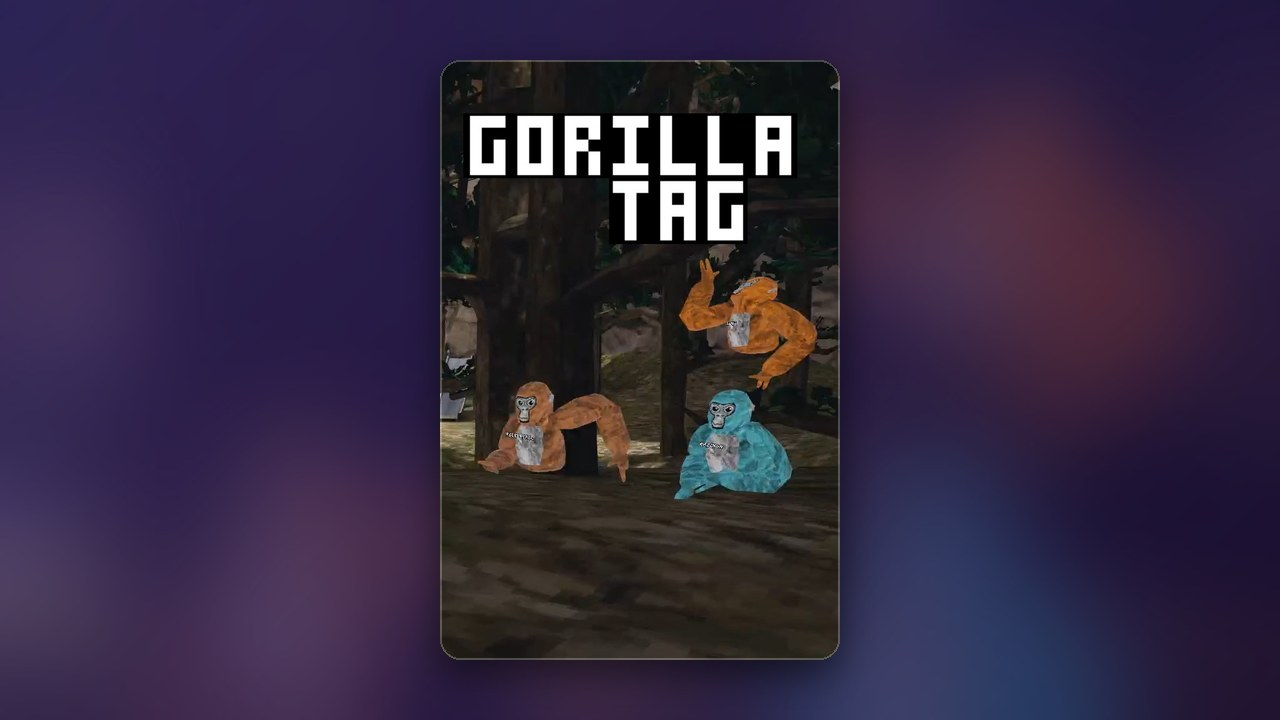
Swinging through the jungle on nothing but your arms is the whole charm of Gorilla Tag, and on a Meta Quest that charm costs nothing: Gorilla Tag is free to download there. Steam is different. On Steam it is a paid PC VR game that needs a headset connected to your computer. If you play on PC, the way to get it without spending your own money is to buy the Steam copy with a Steam gift card earned in our app, Snakzy.
Getting Steam Games for Free
Gorilla Tag was free on Steam once. At the end of 2022 the developer, Another Axiom, made the Steam version paid for new players, and its own Steam announcement gives the reason: too much time went into fighting hackers and players who dodged bans with fresh PC accounts, and a price deters them. Anyone who already had the game in their Steam library kept it.
The price came with something back. The developer said at the switch that new Steam buyers get Shiny Rocks, the game’s cosmetic currency, to the value of the purchase, so buying the Steam copy is close to buying a Shiny Rock bundle that also unlocks the game; the Steam page shows the current offer. The free route that remains is the Meta Quest version, if you own a Quest.
Offers of a free Steam copy, free cosmetic codes or a Gorilla Tag app for your phone do not come from the developer, and a download from an unofficial source puts your device and your account at risk. The real PC version lives on the Steam store, and a Steam gift card, including one bought from Eneba, the digital marketplace our rewards feed into, goes toward it there.
Play Games, Earn Real Rewards
Discover new mobile games in our app, earn coins for milestones and tasks, then redeem them for gift cards you can spend on the games you actually want.
Start Earning NowIs Gorilla Tag Free on Steam?
No. Gorilla Tag is a paid game on Steam for new players, and you need a compatible PC VR headset connected to your computer to launch it. Without a headset, the game will install but will not run, so the Steam version is not playable on a standard PC alone.
That decides which version you want. The Meta Quest version is the free one, and the headset is self-contained, so it needs no PC at all. On Steam you pair the game with a headset over a USB or wireless connection, which makes sense if you already own a PC VR headset. Either way, the tag and infection modes are the same, and there is no pay-to-win: every cosmetic is purely cosmetic, and players wearing the default fur have exactly the same speed and reach as anyone dressed head to toe in rare items.
Is VR Gorilla Tag free?
Yes on Meta Quest, no on Steam. The Quest version is free to download and play, with optional cosmetics for sale. The Steam version, which runs on PC VR headsets, has been paid for new players since the developer’s switch. On both, cosmetics never unlock a gameplay mode.
Is Gorilla Tag OK for 9 year olds?
Gorilla Tag is rated for players aged 13 and up on most platforms, primarily because the online social environment includes open voice chat with strangers. The gameplay itself is not violent, but parents should be aware that younger children will share lobbies with adults. Parental controls on Meta Quest and through Steam’s Family View can help manage the experience for younger players.
How to Get Gorilla Tag for Free on Steam?
You pay for the Steam copy with a Steam gift card you earned in Snakzy instead of with your own money. Gorilla Tag itself is not inside our app: you play other mobile games there, they earn coins, and the coins become the card you spend on Steam.
- Download the Snakzy app on your Android phone and browse the mobile games in it.
- Play games and complete milestones or in-app tasks to earn coins.
- Redeem your coins for a Steam gift card.
- Add the gift card balance to your Steam account.
- Buy Gorilla Tag on its Steam page, and connect your PC VR headset before you launch it.
If you already own the Steam version, the same card buys more Shiny Rocks when a seasonal collection catches your eye.
Play Mobile Games & Earn Real Rewards
Snakzy is built around a straightforward idea: playing mobile games should come with real-world upside. Every time you try a new game through our app and hit a progress milestone or finish a task, you earn coins. Those coins are redeemable for tangible rewards, not sweepstakes entries or wishlist points.
- Discover and play new mobile games curated in the Snakzy app.
- Earn coins for reaching milestones and completing tasks while you play.
- Redeem coins for platform gift cards, including Steam gift cards, or load funds into an Eneba wallet for digital games, subscriptions, and content.
On PC, we would buy the Steam copy with a card you earned and treat the Shiny Rocks that come with it as your cosmetics budget; if you own a Quest, start there for free. Get Snakzy and turn your mobile game sessions into Steam credit.
Related posts



Play to earn
Your Next Game, On Us
Play mobile games in Snakzy, earn coins as you go, and turn them into gift cards for the store of your choice.
Get Started Free