
KashKick pays you for game goals, surveys and shopping cashback. If you enjoy its game offers but don’t want another survey in your day, you can look for a similar replacement or add an app that focuses on games.
Among these eight apps like KashKick, Snakzy (our app) suits you if gaming is the point, with rewards for sessions and surveys optional. Freecash, Swagbucks and InboxDollars mix games with wider task lists, Rewarded Play and Mistplay turn gameplay into gift cards, JustPlay converts game coins into rewards, and what Scrambly offers depends on your phone.
Apps like KashKick compared by activity and reward
Is KashKick legit? Players report PayPal and Venmo payouts, so we’d say yes, though some also complain about untracked progress, delayed rewards and restricted accounts. Its iPhone listing shows a $10 withdrawal minimum, so use that as your yardstick for the apps below.
| App | How you earn | Rewards | Platforms |
|---|---|---|---|
| Snakzy (our app) | Sessions, milestones, challenges | PayPal, gift cards | Android |
| Freecash | Games, surveys, offers | PayPal, bank transfers, gift cards | Android, iOS, Web |
| Swagbucks | Games, surveys, shopping, receipts | PayPal, gift cards, donations | Android, iOS |
| InboxDollars | Surveys, emails, games, shopping | PayPal, checks, gift cards | Android, iOS |
| Rewarded Play | Playtime, levels, milestones | Retail gift cards | Android, iOS |
| JustPlay | Game levels and milestones | PayPal, gift cards, donations | Android |
| Mistplay | Active play and checkpoints | Gift cards | Android, iOS |
| Scrambly | Games, activities, qualifying steps | Cash rewards, gift cards, vouchers | Android, iOS |
Each of these KashKick alternatives has set earning activities and a clear way to redeem. Snakzy comes first, for session-based gaming. Entries 2 to 4 mix several kinds of tasks, if you want to replace more of your KashKick routine. Entries 5 to 8 are gaming or walking apps, if you’d rather add a separate activity.
Play Games, Earn Real Rewards
Discover new mobile games in our app, earn coins for milestones and tasks, then redeem them for gift cards you can spend on the games you actually want.
Start Earning NowMake your first redemption a manageable one
A small first offer lets you see how an app’s reward process works before you take on a demanding deadline.
- Check the install rules. Read the first-time install and tracking requirements before you download a game.
- Keep records. Screenshot the reward, the deadline, the required milestones and your progress, so support can look into missing credit.
- Check the withdrawal rules. Confirm your first cashout target, the verification and the payment methods before you start.
- Subtract what you spend. Take required purchases and withdrawal fees off an offer’s reward before you compare it.
1. Snakzy (our app): rewards for game sessions, surveys optional
Full disclosure: Snakzy is our app. More than 1 million players have joined it, and they have collectively redeemed over $1.2 million in rewards as of June 2026.
KashKick’s game offers are the part Snakzy is built around. Puzzle, solitaire and match-3 games earn points for sessions, milestones and challenges, and surveys are optional, so games can stay your main activity next to KashKick. Snakzy runs on Android only, so your phone decides whether it fits.
- Best for: Players who mainly want gaming rewards
- Cost: Free, no purchase required
- Payout methods: PayPal, shopping and gaming gift cards
- Notes: 18 or older. More than 120 game offers.
2. Freecash: game offers and surveys, like KashKick
Freecash has a mix of games, surveys and offers much like KashKick’s. To get game credit, you install the game through its tracking link and allow tracking.
Its withdrawal help and its beginner guide give different first minimums, so go by the target on your account’s Cashout page before you commit to an offer. The first withdrawal also needs email and identity verification, with a selfie and physical ID.
PayPal withdrawals cost 5%, with an extra $1 on $5, $10 and $20 cashouts. Payments do arrive, but rewards can sit pending and verification can hold things up, so plan a withdrawal around approved funds only.
- Best for: Games and surveys in one platform
- Cost: Free to join
- Payout methods: PayPal, Venmo, bank transfers, gift cards
- Notes: $25 first minimum by its withdrawal help, $20 by its beginner guide, varies by region; $5 repeat PayPal. 16 or older. No fee on gift card withdrawals.
3. Swagbucks: points across everyday activities
Swagbucks spreads earning across surveys, game goals, eligible shopping and grocery receipts, in points called SB. We like that flexibility when those activities already fit your week, because not every reward hangs on one game deadline.
Users describe payouts and gift cards that arrived, and also game tracking failures, survey disqualifications and account trouble, so keep records across all of it.
Pick a backup store you’d really use in case your first choice isn’t available. Swagbucks suits you better if several rewards would do than if you’re saving for one particular card.
- Best for: People who want several earning activities
- Cost: Free to join
- Payout methods: PayPal, gift cards, available charity donations
- Notes: Delivery up to five business days. Verification must be complete.
4. InboxDollars: a balance in dollars and cents
InboxDollars shows your balance in dollars and cents, which is easier to read if points conversions frustrate you. Surveys, emails, offers, games and shopping all add to it.
On Android, InboxDollars lists a $30 minimum before you can cash out by check or gift card, against KashKick’s $10. Its iPhone listing mentions PayPal and gift cards instead. Look at your own account’s minimum and methods before you start a long game offer.
Users report paid milestones and finished cashouts, but also tracking failures, verification glitches and payout delays.
- Best for: People who prefer rewards in dollars
- Cost: Free to join
- Payout methods: PayPal, checks, gift cards, depending on platform
- Notes: Minimum depends on platform. iPhone needs iOS 15.1 or later.
5. Rewarded Play: points toward shopping
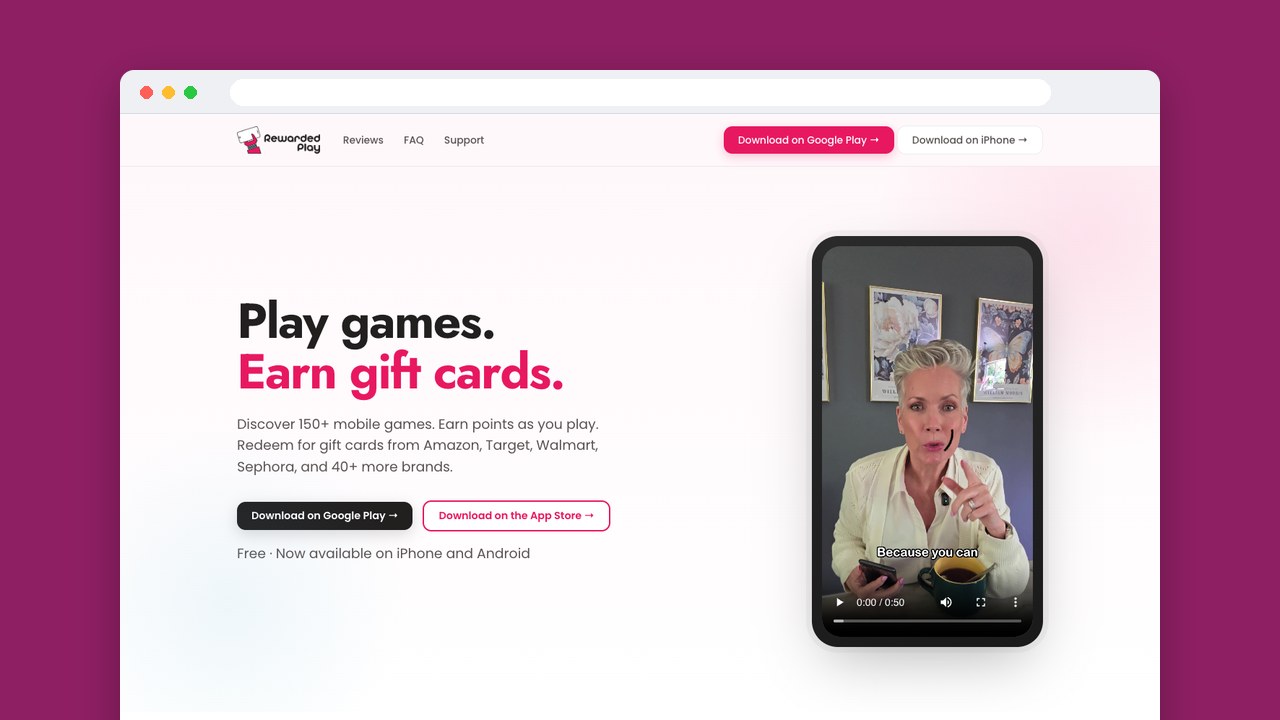
Rewarded Play makes sense if you’d buy from its stores anyway, since it pays in store gift cards. You earn points for levels, playtime and milestones, and the rate changes from game to game, so read each game’s requirements before you pick one.
Rewarded Play estimates a first small gift card after about 48 hours of normal play, and says most gift cards arrive within one to two business days. The earning time comes before the delivery wait, so count both.
Gift cards arrive and support helps for many players, but some report failed redemptions and accounts closed over verification. Start with a first offer you can manage.
- Best for: Players with regular store spending
- Cost: Free, no purchase required
- Payout methods: Amazon, Target, Walmart, Sephora and other gift cards
- Notes: ID check on the first redemption. iPhone needs iOS 26.0 or later.
6. JustPlay: check what your coins are worth
JustPlay’s terms describe its service as Android and say it doesn’t run the iOS app linked from its homepage. This entry covers the Android service, where game levels and milestones earn loyalty coins.
Coin conversion depends on advertising bids, achievements and time played, so we’d check the redemption value before another long session. You may also need three hours of gameplay or app use before you can redeem, even with a balance showing.
- Best for: Players comfortable with a changing conversion rate
- Cost: Free, optional virtual-item purchases
- Payout methods: PayPal, gift cards, charity donations
- Notes: Usually no minimum, exceptions may apply. 18 or older and legally able to contract. Possible face scan. Unredeemed rewards expire after six months.
7. Mistplay: rotate games through checkpoints
Mistplay rewards active play with GXP, or Game Experience Points, then gives you redeemable units at checkpoints. Games have to be installed and launched through Mistplay to count, and idle time stops your earning.
Each game earns GXP for at most two hours a day, and checkpoints stop at 20. So rotating games has a real purpose if you like discovering new ones, instead of building your routine around one game.
- Best for: Players who enjoy changing games
- Cost: Free
- Payout methods: Gift cards
- Notes: Catalog varies by region. Processing up to 48 hours.
8. Scrambly: what you get depends on your phone
Scrambly’s Android app focuses on casual games and activities, while its iPhone app focuses on walking. Scrambly says keeping walking rewards active means finishing one task within an offer every two days, so walking has to go together with offer activity.
The optional iPhone Premium renews automatically unless you cancel at least 24 hours before the period ends, so cancel in time if the activities stop fitting your routine.
Users mention cashout commissions, security holds, delays and tracking failures, as well as payments that arrived, so check the final amount you’ll receive before you confirm even a small withdrawal.
- Best for: Combining offers with daily activities
- Cost: Free on Android, optional paid Premium on iPhone
- Payout methods: Cash rewards, gift cards, digital vouchers
- Notes: $1 minimum, against KashKick’s listed $10. Most game offers need a first-time install.
Judge an offer against your actual routine
First decide whether you’re replacing KashKick or adding to it. A replacement has to cover the activities and rewards you prefer, while a companion earns its place by covering something you want to do more of. Another game deadline makes less sense when it competes with time you’ve already given to an unfinished offer.
What you’ll do with the reward narrows it further. Cash lets you spend it anywhere, while a store gift card helps your budget when it covers something you meant to buy. A card for a store you rarely use can leave you planning a purchase around the reward.
Give one alternative a clear job
Our gaming-first pick is Snakzy, for Android players. Freecash suits you if you want a mix of games, surveys and offers like KashKick’s and you’re fine with its cashout costs.
Swagbucks is worth a look when shopping and receipts already fit your routine, and Rewarded Play suits you if you already know which store’s gift card you’ll use. Start with one manageable offer and finish a redemption before you take on another demanding task.
Related posts



Play to earn
Your Next Game, On Us
Play mobile games in Snakzy, earn coins as you go, and turn them into gift cards for the store of your choice.
Get Started Free