Get this game free with Snakzy
Play mobile games in our free app, earn coins for milestones and tasks, then redeem a Steam gift card and buy the game on Steam.
- 4.5 on Google Play
- 1M+ players
- 100,000+ rewards
- 18+ only
- Step 1Install Snakzy and pick a game you like.
- Step 2Play and earn coins for milestones and tasks.
- Step 3Redeem a Steam gift card and buy the game.
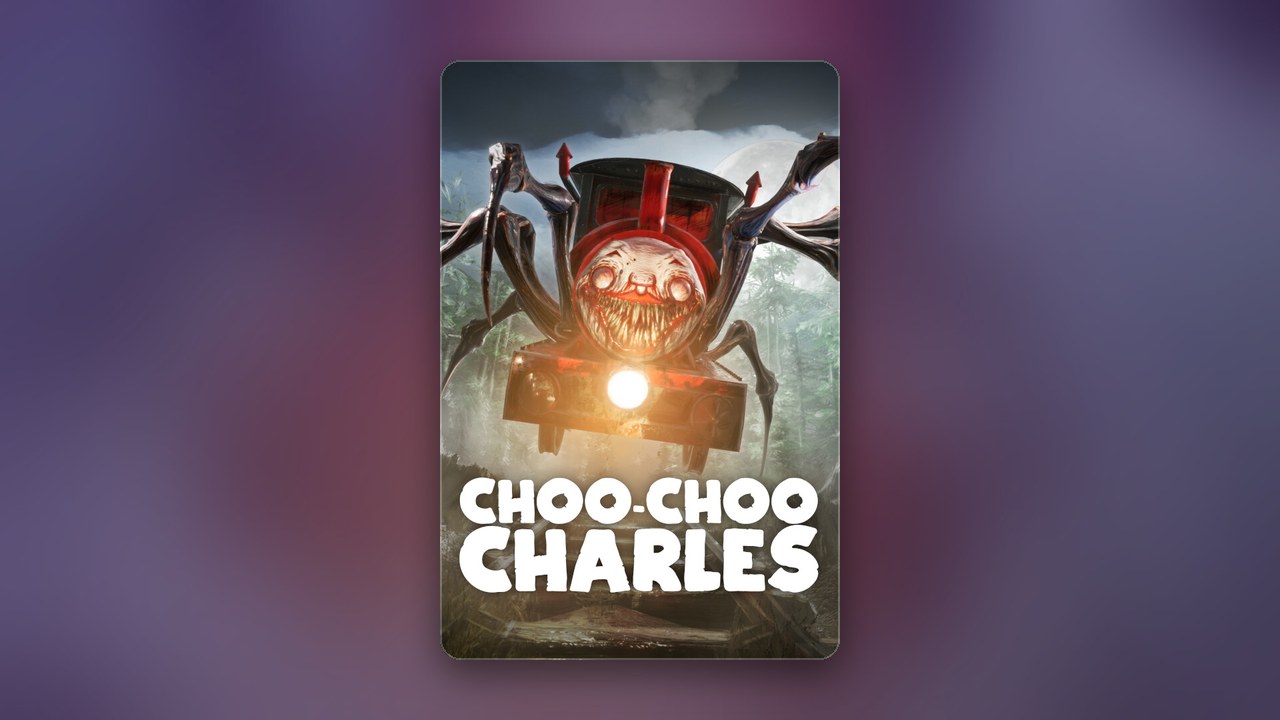
Choo-Choo Charles puts you in the cab of a rusty old engine on an open island, hunted by a monstrous spider-train, and it is the kind of horror game you want to try before you pay. Is Choo-Choo Charles free? No. It is a paid game on Steam for PC and Mac, and Two Star Games also sells an official Android version on Google Play, paid as well. You can still play without spending your own money: our app, Snakzy, turns time in other mobile games into a Steam or Google Play gift card.
Getting Steam Games for Free
There is no free version of the real game: no free-to-play tier and no demo on Steam, and the Android app is a one-time purchase with no in-app extras. What you can choose is where to play it. Steam has it for Windows and Mac, Google Play has the official mobile version from Two Star Games, and it is also sold on PlayStation, Xbox and Nintendo Switch.
Stick to those official listings, paid with your own money or with a gift card, which Eneba, the digital marketplace our rewards feed into, also sells. Anything else that claims to be free is not the real game.
Are Free APK Downloads of Choo-Choo Charles Safe?
No. The only official Android version is the paid app from Two Star Games on Google Play, so a free APK of the game comes from someone else: a clone, or a repackaged copy that never gets the developer’s updates and can carry malware. The same goes for PC copies on download sites and free online versions on game portals, which Two Star Games does not make.
Is Choo-Choo Charles Free to Play on PC or Steam?
Not on either. On PC, the way to avoid paying out of pocket is to buy the Steam copy with a Steam gift card you earned, and one Steam purchase covers both Windows and Mac. With no demo to try first, the trailer on the Steam page is the quickest way to see whether this kind of horror is for you. On Steam you also get Nightmare Mode, a harder way to play once you know where Charles likes to wait.
Is Choo-Choo Charles on Mobile the Same as the PC Game?
The official Android version is the same game. Two Star Games publishes it on Google Play with the same premise as on PC: plan your missions along the island’s tracks, collect scraps to upgrade your train, help the townspeople for weapons, and finally summon Charles to a duel. Look-alike apps with similar names come from other developers, so check that the developer is Two Star Games before you buy.
Play Games, Earn Real Rewards
Discover new mobile games in our app, earn coins for milestones and tasks, then redeem them for gift cards you can spend on the games you actually want.
Start Earning NowHow to Get Choo-Choo Charles for Free?
You buy the game with a gift card you earned in Snakzy instead of with your own money: a Steam gift card for the PC version, or a Google Play gift card for the Android app. Choo-Choo Charles is not in our app; the other mobile games you play there earn the coins that become the card.
- Install Snakzy on your Android phone and pick a few mobile games from its list.
- Play them and complete milestones and in-app tasks to earn coins.
- Redeem your coins for a Steam gift card if you play on PC, or a Google Play gift card if you play on your phone.
- Buy Choo-Choo Charles from Two Star Games on its Steam page or its Google Play listing.
Which version should the card go toward? A PC or Mac gives you the bigger screen for spotting Charles across the island; the Android app puts the whole hunt in your pocket. On a console, the same idea works with a PlayStation, Xbox or Nintendo eShop gift card, since the game is sold on all three.
Play Mobile Games & Earn Real Rewards
Snakzy is our own app, for Android phones and adults 18 and over, and it costs nothing to use. You earn in short sessions of puzzle, solitaire, match-3, word or card games, and how quickly your balance builds depends on how often you play and which tasks you complete. Rewards arrive as codes you redeem yourself, so Snakzy never touches your Steam or Google Play account.
- A Steam or Google Play gift card, whichever version you picked.
- PlayStation, Xbox or Nintendo eShop gift cards, if you would rather play on a console.
- Eneba wallet funds, spent on games and gift cards sold on Eneba.
We would pick the platform you play horror on most and pay for that copy with a card you earned. Get Snakzy and start on the card.
Related posts

Play to earn
Your Next Game, On Us
Play mobile games in Snakzy, earn coins as you go, and turn them into gift cards for the store of your choice.
Get Started Free