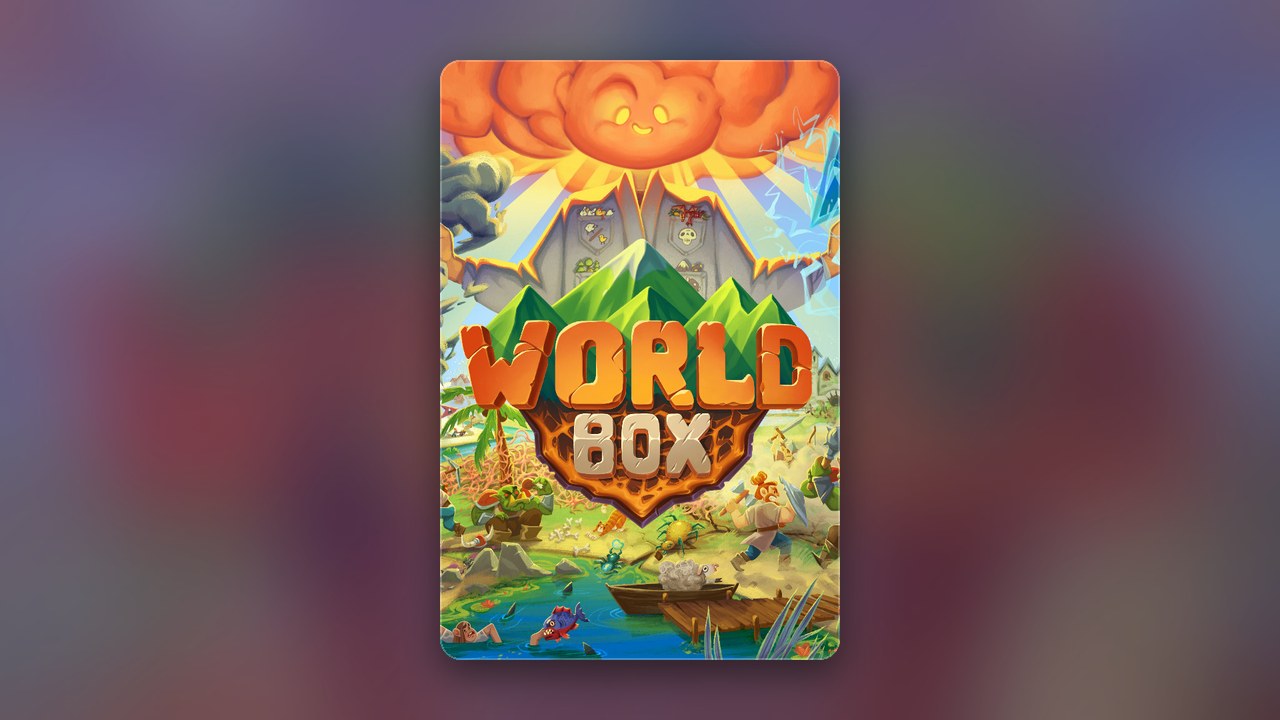
Get this game free with Snakzy
Play mobile games in our free app, earn coins for milestones and tasks, then redeem a Steam gift card and buy the game on Steam.
- 4.5 on Google Play
- 1M+ players
- 100,000+ rewards
- 18+ only
- Step 1Install Snakzy and pick a game you like.
- Step 2Play and earn coins for milestones and tasks.
- Step 3Redeem a Steam gift card and buy the game.
You do not need a WorldBox key. A key is only a Steam activation code, and a game bought on Steam lands in your library without one. WorldBox is a paid game on Steam, the god simulator where you grow civilizations, watch kingdoms sail to far continents and drop a disaster on them when the mood takes you. You can get it without spending your own money by earning a Steam gift card in our app, Snakzy, and buying it there.
Getting Steam Games for Free
You cannot get the PC version of WorldBox for free. On Steam it is a one-time purchase with no demo. It is also in Early Access, which means its developer, Maxim Karpenko, is still building it; you buy the game as it stands, and the updates come with it. Things can change from one update to the next, so if a feature matters to you, read the latest update notes on the store page first. If a phone is where you want to play, WorldBox also has a separate mobile version on Google Play, free to download with in-app purchases. The two are separate products, so owning one does not unlock the other.
Cheap keys from third-party sellers are where most of the trouble starts. A key bought with a stolen card can be revoked later, and the game leaves your library with it. Some listings are not keys at all but the login to someone else’s Steam account, which the owner can take back whenever they like. Pages offering a free key tend to want your login or your personal details instead.
Steam is the safe place to pay. If you would rather buy a gift card than earn one, Eneba sells Steam cards; it is an online marketplace for gift cards and games, and it also supplies our app’s rewards.
Does WorldBox ever go on sale?
When WorldBox is part of a Steam sale, its store page shows the reduced price, so the page is the place to check. Add the game to your Steam wishlist and Steam will email you when it is discounted, which saves you checking every week. An earned gift card works on a sale price like any other.
Play Games, Earn Real Rewards
Discover new mobile games in our app, earn coins for milestones and tasks, then redeem them for gift cards you can spend on the games you actually want.
Start Earning NowHow to Get a WorldBox Key for Free?
Instead of hunting for a key, you buy WorldBox on Steam with a gift card you earned in Snakzy. WorldBox itself is not in our app: you play other mobile games on your Android phone, earn coins, and swap them for the card. We cannot tell you how long that takes, because it depends on how much you play.
- Install Snakzy on an Android phone and choose games you would happily play anyway.
- Work through milestones and tasks; each one adds coins.
- Redeem the coins for a Steam gift card when you have enough.
- Redeem the card on Steam. It adds funds to your Steam Wallet, not the game itself.
- Buy WorldBox from its Steam page, where the developer is listed as Maxim Karpenko.
The Steam copy is also the most complete way to own it. It runs on Windows, Mac and Linux, keeps your worlds in Steam Cloud, comes with a level editor, and opens the Steam Workshop, where other players share their worlds. Steam Family Sharing is switched on for it as well, so someone in your Steam family can play your copy. Whatever is left in your Steam Wallet afterwards stays there for your next game.
Where can I find my Steam key for WorldBox?
Bought on Steam, WorldBox has no key at all. A key only exists when you bought the game from another store, and then it sits in that store’s order page. You activate it in Steam under “Activate a Product on Steam”, and it works only once. If Steam says a key is already in use, the seller who sold it is the one to contact.
Play Mobile Games & Earn Real Rewards
Snakzy is our play-to-earn app for Android. It never connects to your Steam account, so you enter the gift card code into Steam yourself. The same coins can become a Google Play card instead, if the mobile WorldBox is the one you want.
- The games are casual, word, merge, bubble shooter and arcade among them, and the app recommends more from what you play most.
- Your coins come from milestones and tasks, and the app never asks you to pay to earn them.
- Rewards include Steam and Google Play gift cards, cards for other platforms, and Eneba wallet funds, which you spend on Eneba.
Skip the cheap keys: an earned card buys WorldBox on Steam, and that copy stays yours. Get Snakzy to start on the card.
Related posts

Play to earn
Your Next Game, On Us
Play mobile games in Snakzy, earn coins as you go, and turn them into gift cards for the store of your choice.
Get Started Free