Reward apps pay you in points, cash or gift cards for things like shopping, scanning receipts, playing games or doing small tasks. Shopping cashback needs a purchase, game and task rewards need your time, and the reward may be a gift card rather than money you can withdraw.
The best reward apps are the ones that fit what you already do. Snakzy (our app) gives game-focused Android players a purchase-free route to PayPal and gift cards, ReceiptPal suits receipt collectors, and Rakuten pays for eligible shopping. Rewarded Play and Mistplay focus on games, while MyPoints, Swagbucks, InboxDollars, KashKick and Freecash mix more activities and conditions.
Compare the best reward apps by activity
| App | How you earn | Rewards | Platforms |
|---|---|---|---|
| Snakzy (our app) | Game sessions and challenges | PayPal, gift cards | Android |
| ReceiptPal | Receipts and activities | Gift cards | Android, iOS |
| Rakuten | Qualifying shopping | Check, PayPal, gift cards | Web |
| Rewarded Play | Playtime and milestones | Gift cards | Android, iOS |
| Mistplay | Playtime and game progress | Prepaid cards, gift cards | Android, iOS |
| MyPoints | Shopping, surveys and deals | Gift cards, PayPal option | Android, iOS |
| Swagbucks | Surveys, games and shopping | PayPal, gift cards | Android, iOS |
| InboxDollars | Surveys, games and offers | PayPal, check, gift cards | Android, iOS |
| KashKick | Game goals and surveys | Cash payouts | Android, iOS, Web |
| Freecash | Games, trials and surveys | PayPal, bank transfer, gift cards | Android, iOS, Web |
Here are 10 apps with published redemption rules or reports of people getting paid. Snakzy comes first as our pick if you mainly want to earn by playing games. After it, the list goes from the least extra work to the most: receipts (you’ve already bought the stuff), then shopping you have to plan, then games you keep playing, then apps that mix lots of tasks and have more rules. The activity you pick inside an app can change the effort too.
Play Games, Earn Real Rewards
Discover new mobile games in our app, earn coins for milestones and tasks, then redeem them for gift cards you can spend on the games you actually want.
Start Earning NowCheck the work before you accept an offer
A bigger reward can leave you with less once purchases and fees come off.
- Check you can join. Check your device in the official store, then the app’s own membership and redemption rules.
- Separate free from paid. Tell purchase-free activities apart from offers that need a purchase or a subscription.
- Check the reward is usable. Make sure the card or payment method fits what you want to buy or pay.
- Keep records. Screenshot requirements, finished milestones and redemption confirmations until the reward is settled.
- Expect two waits. A reward has to be confirmed before withdrawal processing even starts.
If you’re comparing the best GPT apps, short for get-paid-to apps that pay for completed tasks, weigh the work against the reward. A deadline that fits your normal playtime is worth more than a big reward for a goal you’d struggle to finish.
The apps, from least extra work to most
1. Snakzy (our app): rewards for the games you play
Full disclosure: Snakzy is our app. More than 1 million players have joined it, and they have collectively redeemed over $1.2 million in rewards as of June 2026.
You earn points for sessions, milestones and challenges, so playing stays the main thing you do. Puzzle, solitaire, match-3 and word games give you different ways to spend that time. Among reward apps for Android, it suits you if you’d rather pick a game than sort through surveys. Snakzy runs on Android only.
- Best for: Game-first players
- Cost: Free, no purchase required
- Payout methods: PayPal and gift cards
- Notes: 18 or older, surveys optional
2. ReceiptPal: a points target for your receipts
ReceiptPal gives receipt collecting a clear target: four valid receipts fill a green Point Card worth 100 points. Surveys, games, videos and special offers add more to do, but we’d start with receipts.
People do get their gift cards, but they also report slow progress, rejected receipts, loading problems and late delivery. Use it for slow, steady collecting, not for a reward you need soon.
- Best for: Gradual points collecting
- Cost: Free
- Payout methods: Retailer and Visa gift cards
- Notes: 3,000-point redemption minimum
3. Rakuten: cashback on online shopping you track
Start every Rakuten purchase from its shopping link and finish it in the same session. Visiting other sites or using outside coupons can cost you the credit, so compare prices before you click through.
Only confirmed rewards are paid, and travel usually confirms after the trip, so Rakuten suits planned spending where you can wait for the cashback.
After more than 12 months in a row without shopping or starting a shopping trip, Rakuten may take a small monthly maintenance fee from your rewards, though it won’t put you in debt. Membership is for residents of the 50 US states and DC who are 18 or older.
- Best for: Planned online shopping
- Cost: You earn on purchases you make
- Payout methods: Check, PayPal and gift cards
- Notes: $5.01 payout minimum
4. Rewarded Play: points for game progress
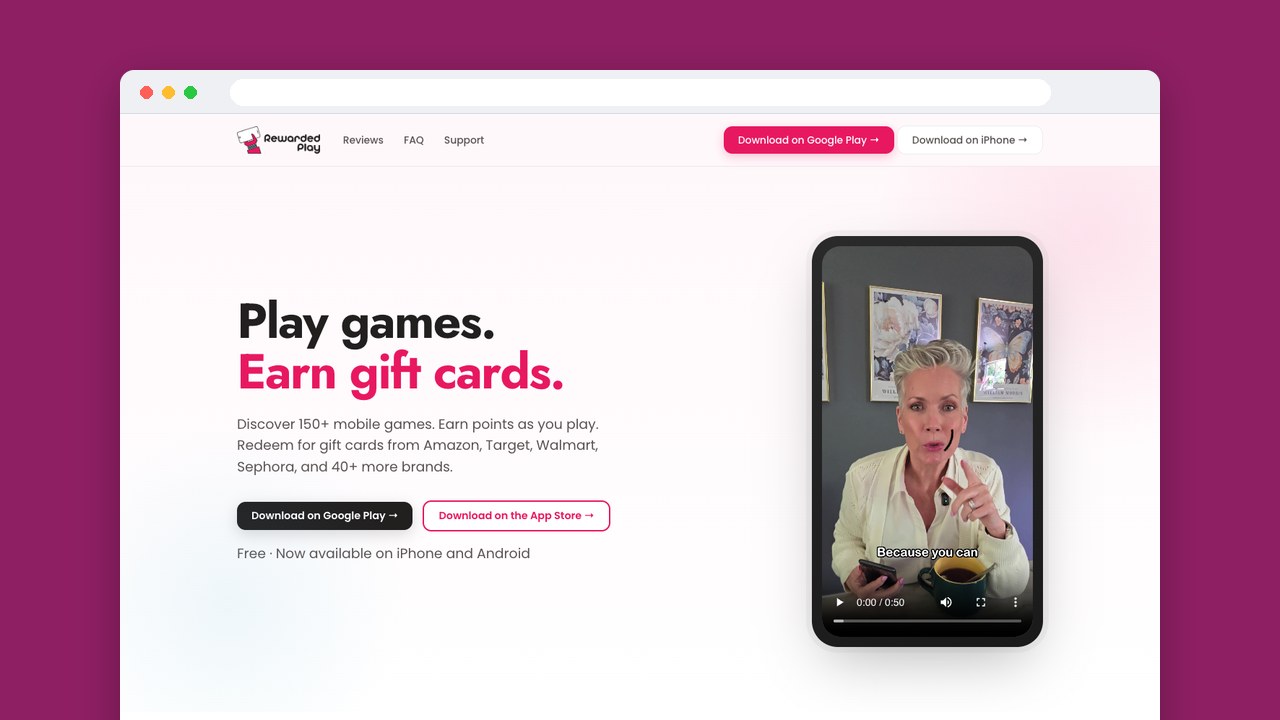
Rewarded Play moves the work from shopping to game progress. Levels, playtime and milestones earn points at different rates, so compare each game’s requirements.
Rewarded Play cites $25 to $30 a month as a promotional example for a casual player. That describes one way of playing, not an average across players.
Your first redemption needs identity verification. Players report receiving gift cards, along with failed redemptions and problems with survey credit.
- Best for: Shopping-card collectors
- Cost: Free, no purchase required
- Payout methods: Shopping gift cards
- Notes: Android and iOS
5. Mistplay: milestones across many games
Mistplay pays for playtime, trying new games, leveling up, milestones and daily streaks. It suits you if you like exploring games and coming back regularly, since several of those habits earn points.
Mistplay says most redeemed rewards process in under 60 minutes, and that clock only starts once you’ve earned enough points. User feedback includes quick payments, missing task credit, late cards and blocked cashouts, so check your progress early.
- Best for: Regular game explorers
- Cost: Free; Mistplay says no subscription is required and there are no withdrawal fees
- Payout methods: Prepaid cards and retailer gift cards
- Notes: Rewards vary by region
6. MyPoints: shopping, surveys and deals
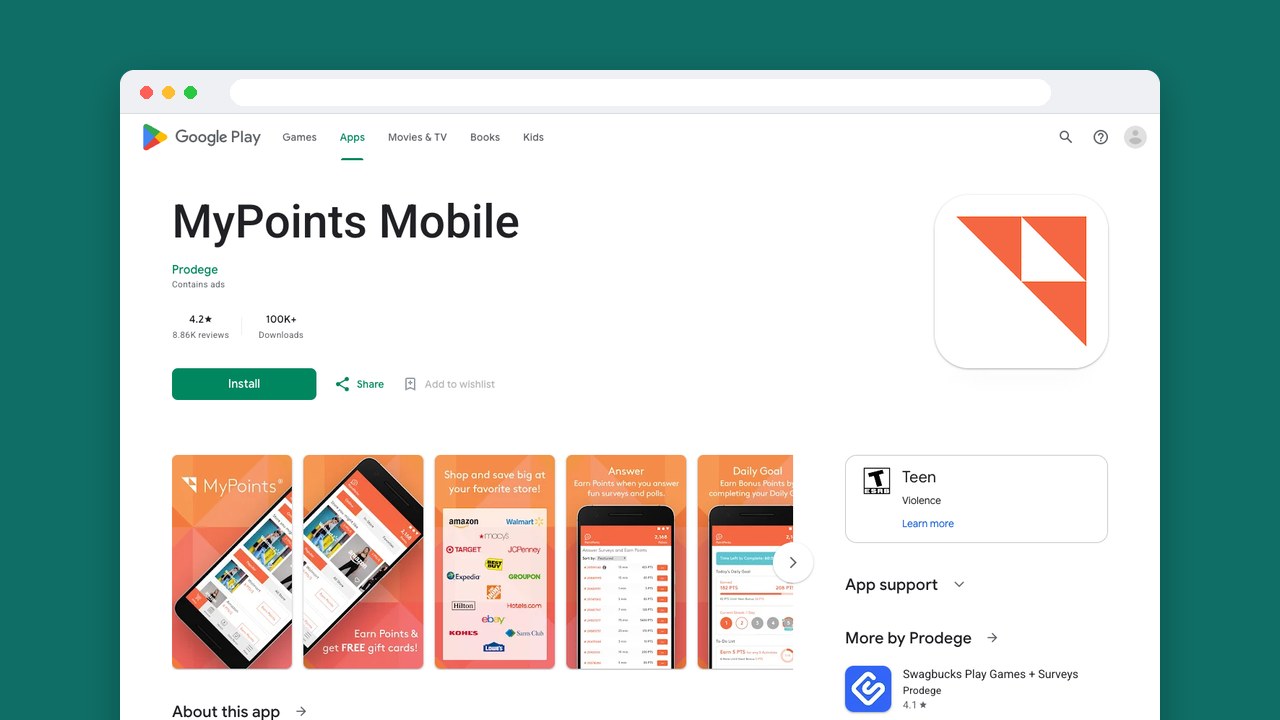
MyPoints starts the mixed-activity apps, with online shopping, surveys, in-store deals and local deals. It suits you if you’re willing to compare offers instead of following one receipt or game routine.
Its catalog lists PayPal among the gift card rewards, so read its redemption terms before you plan on cash. The points your chosen reward needs tell you more than the advertised card values.
Some users got their gift cards or had accounts restored; others lost points, had accounts closed or struggled with support.
- Best for: Shopping and survey users
- Cost: Free
- Payout methods: Gift cards, plus a PayPal option listed in the catalog
- Notes: Advertised reward values of $5 to $25
7. Swagbucks: switch between activities
Swagbucks has surveys, game goals, shopping and grocery receipts, so it suits you if you want another option when one task stops being worth it.
Gift card and offer payouts do come through, but players also hit survey disqualifications, game tracking failures and deactivated accounts. Start with one clearly defined activity: the requirements stay manageable, and you have a specific record if credit goes missing.
- Best for: Switching between activities
- Cost: Free membership, purchase-free routes
- Payout methods: PayPal and gift cards
- Notes: Android and iOS
8. InboxDollars: earnings shown in dollars
InboxDollars shows earnings in dollars and cents, so you can follow your balance without converting points. Surveys, reading emails, offers, games and shopping give you several ways to build it.
App Store users describe $15 withdrawals, lower than the threshold its Google Play description lists. Go by the figure your own account shows when you judge whether another task is worth it.
Payments arrive for some players; others report disqualifications, missing offer credit, verification problems and delays.
- Best for: Dollar-based balance tracking
- Cost: Free to join
- Payout methods: PayPal, check and gift cards
- Notes: $30 cashout threshold
9. KashKick: game goals with deadlines
KashKick mixes game goals and milestones with surveys, shopping cashback and deals. Its game goals suit you if you’ll weigh the progress they need against your spare time before you start.
Players describe payments, along with tracking failures, slow reward availability and account restrictions. Their accounts also describe big time commitments, so a large reported payout tells you little about the effort to expect.
- Best for: Milestone-focused players
- Cost: Free to use, no subscription
- Payout methods: PayPal, Venmo, gift cards, donations
- Notes: US members, 18 or older
10. Freecash: varied offers, with fees to compare
Freecash adds verification and fees to weigh on top of games, app trials, surveys and cashback. Your first withdrawal needs email verification, a camera selfie and physical ID.
Freecash charges a 5% PayPal cashout fee, plus $1 on PayPal withdrawals of $5, $10 and $20. Gift cards have no withdrawal fee.
Freecash says most PayPal and gift card withdrawals are instant, though random checks can add up to 30 minutes. Bank transfers can take three to five business days once your rewards are withdrawable.
- Best for: Comparing varied offers
- Cost: Free signup
- Payout methods: PayPal, bank transfer and gift cards
- Notes: $25 first minimum varies by region, $5 repeat PayPal minimum
Compare the reward you can actually use
For a cash goal, compare the work it takes to reach a withdrawable balance and what’s left after fees. For a gift card goal, start with a store you already use, because a card you don’t want is just another spending decision.
The best rewards apps for your routine may sit anywhere in this list. If you already play games, a gameplay requirement costs you little, while for a receipt collector it’s extra work.
Keep the route that fits your day
For receipt collectors, ReceiptPal suits you if you like a visible points target. Online shoppers who can finish checkout in one session have a reason to try Rakuten.
For game-first Android players who’d rather spend their spare time playing than sorting through surveys, our pick is Snakzy. The mixed-task apps suit you if you’ll manage more requirements: Swagbucks for switching between kinds of activity, Freecash if you’ll weigh cash against gift cards carefully.
Finish one route through to a redemption before you add another app. The requirements you met, the credit you got and the reward you could use tell you whether to keep going.
Related posts

Play to earn
Your Next Game, On Us
Play mobile games in Snakzy, earn coins as you go, and turn them into gift cards for the store of your choice.
Get Started Free